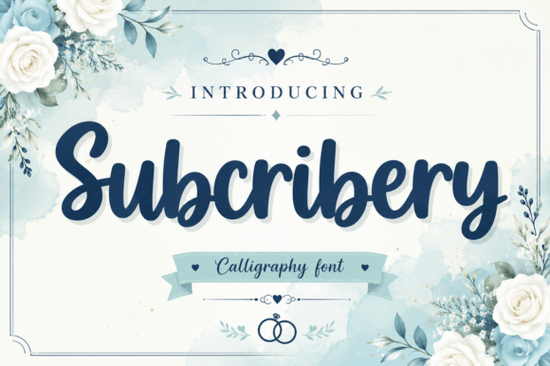
Designers and print-on-demand sellers often look for typography that balances a handwritten feel with clear readability. The Subscribery Font fits this specific need by offering a brush script style with bold, fluid strokes. Crafted to feel laid-back yet highly legible, it works well for digital creators and small businesses wanting to add a friendly touch to their visual branding. Whether you are making digital assets or physical goods, choosing the right typography sets the tone for your entire project.
How does this script font perform on merchandise and packaging?
When creating physical products, typography needs to scale well without losing its character. Because Subscribery uses seamless, continuous strokes, it is highly effective for quirky packaging and retail merchandise. Print-on-demand sellers frequently use this kind of bold script for t-shirt graphics, coffee mugs, and notebook covers where the design must catch the eye from a distance. The thick brush lines ensure that the ink transfers cleanly during screen printing, sublimation, or vinyl cutting with machines like Cricut and Silhouette.
For small businesses designing product labels, the friendly aura of the font makes unboxing experiences feel more personal. If you are browsing through various options for your next product launch, checking out the full Subscribery collection will show you exactly how these glyphs behave at different sizes and on different materials.
Why is legibility important for YouTube thumbnails and logos?
Digital creators know that a YouTube thumbnail has less than a second to grab attention. Using overly intricate cursive can result in unreadable text when scaled down to mobile screens. Subscribery addresses this by maintaining a clear, accessible structure without sacrificing its handmade aesthetic. The letters are distinct enough to work as identifying marks or visually catchy logotypes for social media profiles.
When building a brand identity for a channel or blog, you want your audience to read the title instantly. A highly legible brush script helps your message stand out in crowded social media feeds. Crafters making digital planner stickers or social media templates will also find that this bold style ensures the text remains crisp, even when resized for Instagram stories or Pinterest pins.
What typefaces pair well with a bold brush script?
A common challenge for creative hobbyists is finding secondary fonts that do not clash with a dominant script. Since Subscribery has a strong, heavy weight, it pairs best with clean, minimalist sans-serif fonts or very subtle handwritten styles. If you want to create contrast in a social media graphic, try balancing the bold brush strokes with something lighter.
For example, you might mix it with the delicate flow of Simple Brittany lettering for secondary quotes, or explore the relaxed vibe of the Bestie typeface for casual subheadings. Sometimes, you might need an entirely different mood for a specific product line. In those cases, comparing your current choice with the textured look of a Golden Crumbs style or the sweeping curves of a Megalyn script can help you decide which aesthetic fits your project best. Mixing too many scripts in one design usually creates visual clutter, so stick to one expressive font and support it with neutral typography.
How can you ensure smooth production for your designs?
Before exporting your final artwork for apparel or web, taking a few extra steps prevents common production errors. Whether you work in Adobe Illustrator, Canva, or Procreate, proper file preparation is just as important as the design itself. Small businesses selling on platforms like Etsy need to guarantee that their vinyl decals and printed goods arrive looking exactly like the digital mockups.
Checklist: Preparing your typography files for production
To get the best results from your custom lettering, run through this quick technical check before finalizing your work:
- Convert to outlines: Always convert your text to vector shapes before sending files to a commercial print shop to prevent missing font errors.
- Check background contrast: Ensure the thick brush strokes stand out clearly against your background color, especially for mobile thumbnails and small merchandise tags.
- Adjust kerning manually: While the strokes are designed to be seamless, you may need to manually tweak the spacing between specific letter pairs for perfect alignment.
- Test at small sizes: Scale your logo or thumbnail text down to ten percent to verify that the handwritten details remain readable without bleeding together.
- Verify commercial licensing: If you are selling physical items, double-check that your license covers physical products for end users.
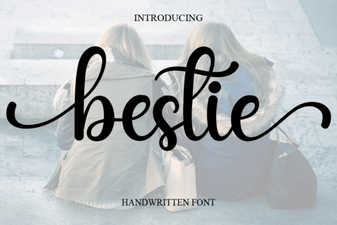 Bestie Font: Adding Personality to Your Designs
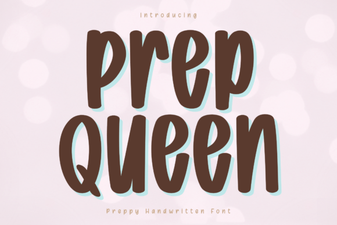 Prep Queen Font Inspiration & Download Guide
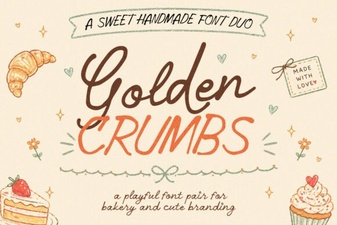 Golden Crumbs Font: Elegant Styles for Creative Projects
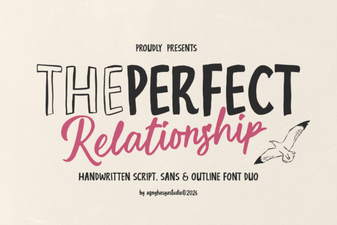 Font Pairings for Harmony & Creativity in Design
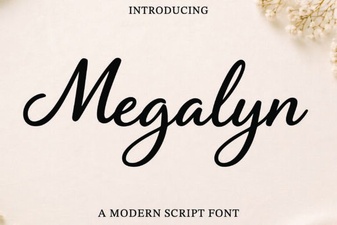 Megalyn Font: Design Inspiration and Downloads
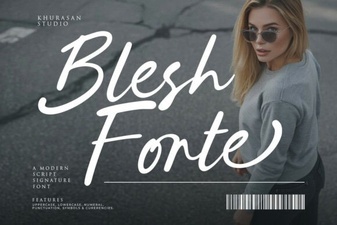 Elevate Designs with the Blesh Forte Creative Font