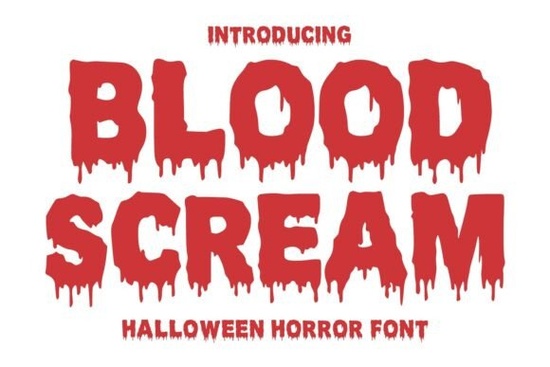
Finding the right typography for a spooky project can be difficult. If you want to capture the terrifying atmosphere of classic Halloween movies, the Blood Scream Font offers exactly what you need. This display typeface features bold characters with melting blood effects, making it a strong choice for designers, crafters, and print-on-demand sellers working on monster-themed branding or haunted event promotions. It immediately sets a chilling tone without needing extra graphic elements to do the heavy lifting.
What kind of projects work best with a dripping horror font?
This specific style of typography works best when you need high visual impact. Because the characters have detailed melting edges, they are ideal for short words or brief phrases rather than long paragraphs. When you are designing for the Halloween season, grabbing attention quickly is the main goal.
Here are a few ways crafters and small businesses use this style:
- Halloween party invitations: Setting a scary mood before guests even arrive.
- Horror movie covers and posters: Creating a focal point for digital platforms or physical shelves.
- Scary game titles: Building a memorable logo for indie horror video games.
- Haunted house promotions: Designing flyers and social media graphics that stand out in a busy feed.
If you are building a seasonal merchandise collection, pairing this typeface with a cleaner sans-serif font helps maintain readability for your secondary text. You might also consider exploring other decorative fonts for spooky themes if you need a secondary typeface that matches the creepy vibe but remains easy to read at smaller sizes.
How do you use bloody typography effectively in design?
When working with heavily stylized letters, contrast is your most important tool. The detailed blood drips can easily get lost if placed on a cluttered background or a color that does not provide enough separation.
Use dark, solid backgrounds like deep charcoal, pure black, or dark purple to make the text pop. Sticking to classic horror color palettes, such as deep reds, stark whites, and toxic greens, will further enhance the monstrous feel of your artwork. Since the font itself acts as an illustration, keep the rest of your layout minimal. Let the typography speak for itself.
For small business owners creating seasonal graphics, the Blood Scream Font provides a ready-made aesthetic. You do not need to manually draw blood splatters in your design software because the characters already have that dramatic, terrifying effect built in. Just type your word, adjust the spacing, and you have a custom graphic ready for social media or print.
Is this font suitable for print-on-demand apparel?
Yes, but you need to pay close attention to your production method. Screen printing and direct-to-garment printing handle detailed typography very well. The melting edges will print clearly on dark cotton t-shirts, tote bags, or hoodies. Customers shopping for October events actively look for these dramatic visual cues.
If you are a creative hobbyist using a vinyl cutting machine, highly detailed fonts can sometimes be difficult to weed. The thin blood drips might tear during the weeding process if the design is too small. To avoid this issue, use the font for larger designs, such as the main title on the back of a shirt, rather than small pocket logos. You can also create a solid sticker design by adding a thick offset outline around the letters before cutting. This gives the text a bold boundary that holds all the intricate details together.
What should you check before starting your design?
Before you begin working on your next haunted event graphic or apparel piece, make sure your files and settings are ready to go. Skipping these basic setup steps can lead to blurry prints or software issues right before a deadline. Follow this quick checklist to ensure a smooth design process:
- Verify that you have installed the correct file formats, as different design programs prefer OTF or TTF files.
- Review the licensing terms to confirm you have commercial rights if you plan to sell physical products like posters or shirts.
- Test the typography in your software at various sizes to see how the melting details hold up on your specific screen.
- Convert your text to outlines or vector shapes before sending the final artwork to a professional printer so the lettering renders perfectly.
- Choose a color palette early on, sticking to high-contrast combinations to ensure the dripping details are clearly visible.
 Bestie Font: Adding Personality to Your Designs
 Modern Fonts for Projects & Designs
 Prep Queen Font Inspiration & Download Guide
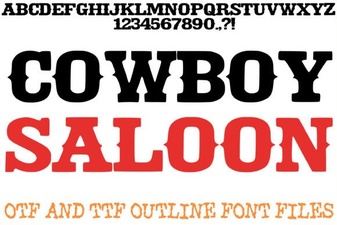 Design with Cowboy Saloon Font Style
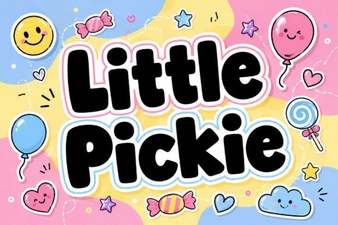 Little Pickie Font: Free Creative Web Font
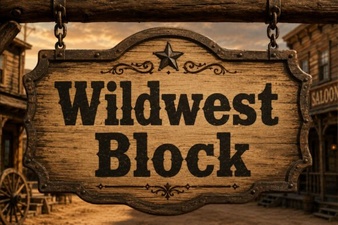 Download Wildwest Block Font for Creative Projects